ECOVACS · Review
ECOVACS GOAT O1000 LiDAR PRO Review: 2 Months In, Does It Buy Back Your Time?
Heads up: Some links on this page are affiliate links. If you buy through them, I may earn a small commission at no extra cost to you. I only recommend gear I'd actually use. Full disclosure.
Where to buy
Prices update at the retailer. Affiliate disclosure.
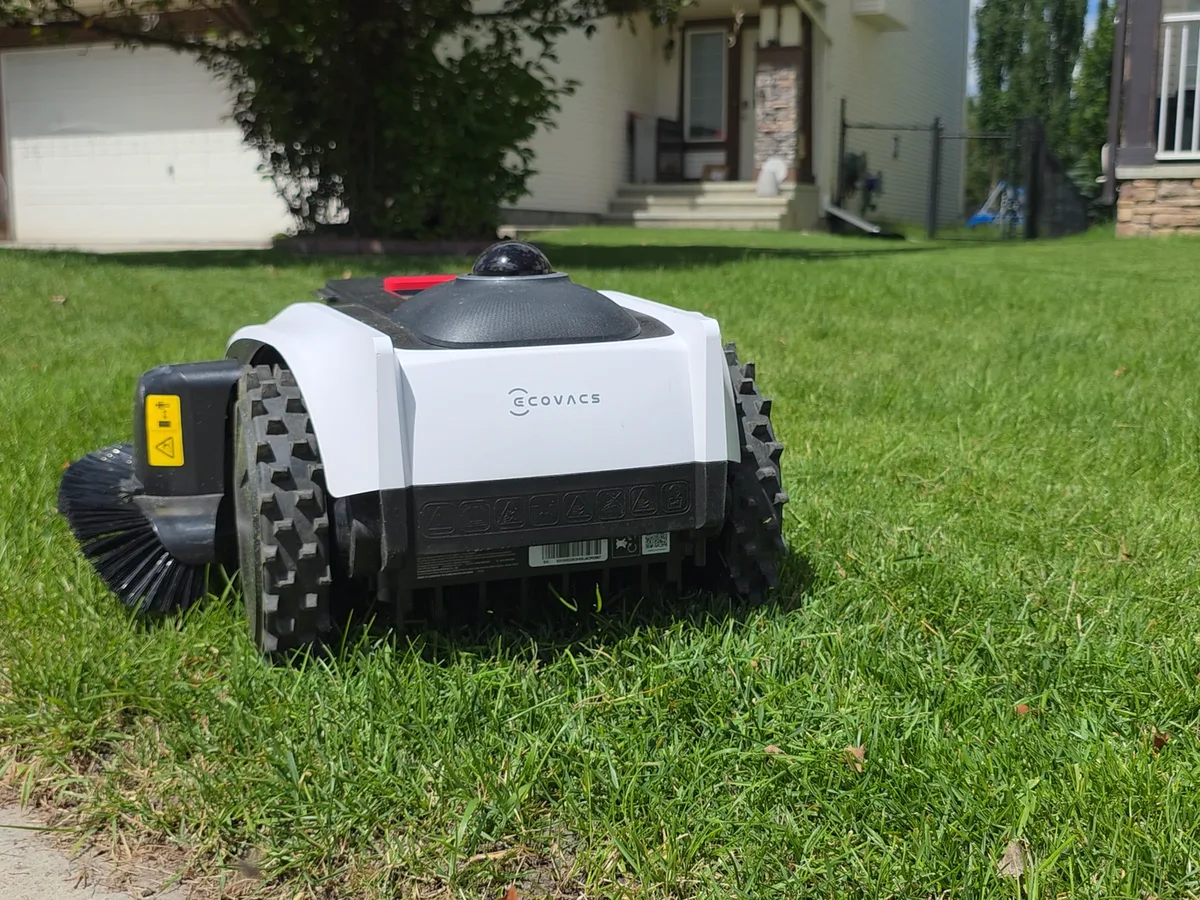
I’m officially the talk of my street, because I’ve got robots doing my yard work. The ECOVACS GOAT O1000 LiDAR PRO landed on my porch two months ago with one job: find out whether a robot mower actually buys back your time. Here’s the honest answer — including the part where it fell into my window well.
It got better since day one
Here’s what I didn’t expect. The review I’d have given you on day one is not the review I’m giving you today. When I unboxed this, it couldn’t trim around a no-go zone at all. A firmware update added that, and the adaptive boundary means it keeps learning my yard, week over week. The machine I own now is better than the one I bought — that almost never happens with hardware.
The 97%
Mowing is the chore that undoes itself — you’re putting the mower away and it’s already growing back. So the bar isn’t perfect; the bar is does it stay off my plate. I’d call the mowing 97%. It gets almost everything. It’ll still miss the odd tight corner it physically can’t fit into, and there’s a sloped patch by my pool I chose not to map — it could get stuck, and it wasn’t worth it. Know your yard. That leaves me about five minutes with a hand trimmer once a week. Five minutes, instead of forty-five.
Mapping: take your time
Quick tip from experience: take your time with the mapping. My yard’s challenging, so I barely touched the auto-map — it’s probably fine on a simple lawn, and it handled some of my edges, but anywhere I wanted it tight to the edge, I mapped that by hand.
Two things to watch. One: if the mower gets stuck somewhere, it turns that spot into its own no-go area and stops mowing it — you get a bare patch, and the only fix is remapping that zone. Two: if it gets stuck or tilted while you’re mapping, it quits, and you start over. I lost a nearly-finished map twice on my gutter. Prep your house, too — I had to pull a low downspout it kept dodging. Expect a couple of small changes like that. Put the time in here and it pays off everywhere.
Obstacle avoidance: leave the AI on
Obstacle avoidance is a strong spot. There’s an AI setting you can flip on or off. On, it dodges basically everything. I run mine off, because my yard’s pretty clear — and sure enough, it found a ball and put some nice slices in it. So if you’ve got kids’ toys around, leave the AI on.
Bigger stuff it nails. I added a picnic table since my first look at this mower, and it tracks right around it — I shift the table a foot every week, which kills the dead spot underneath and keeps the yard sharp. I also dropped a soccer net in after mapping, never remapped for it, and it went right around it and trims up against it. Only catch: to get directly behind the net perfect, I’d have to move the net to the middle of the yard, so I just hit that strip with a trimmer when I want it extra clean.
TruEdge trimming, two months in
Let’s talk TruEdge — the built-in edge trimming. This is the big one, because most robot mowers can’t trim their own edge at all. This one does. Day one, I called it about 85%. Two months in, I’m still around 85%, and I think that’s fair. It struggles with no-go zones — around my pool I can’t get it to sit flush, and I’ve tried plenty. Corners, it cuts a little short. But the adaptive boundary is closing that gap, and based on how much they’ve already improved this thing, I think they’ll get it there.
Where it shines is the normal stuff — long runs, the edges along my house. Some of those are perfect now, better than day one, no question. I still spend about five minutes with a hand trimmer on my roughly quarter-acre lawn — and then it’s mint. The trimming isn’t flawless, but it genuinely adds value. Most robots make you do all of that yourself.
The window well
Now, real talk. I was inside, and I heard a bang. It went into my window well. Straight in. Nothing broke — which tells you something about how it’s built. But if you’ve got window wells, don’t wait for the bang. I’ve got paint stuck down there now as a stopgap, garden fencing next. Map your no-go zones, but physically block anything that can swallow the thing.
Rain and the rain sensor
It has a rain sensor that pauses mowing automatically, and I’ve used the in-app override to restart it early when the grass was already dry — both have worked as expected. I haven’t had a real heavy-downpour stretch to put it through yet, so I can’t speak to how it holds up in a genuine deluge — that’s an honest gap in two months of use, not a spec I’m confirming either way.
Maintenance
Maintenance surprised me. The app tracks every mow and trim, and tells you how many cycles you’ve got before you should swap blades and trimmer line. You don’t guess. You don’t crawl around inspecting it. It just tells you.
Three lawns off one robot
My favorite part, and it’s the reason I’m the talk of the street: my lawn connects to both my neighbors’ lawns, so I mapped theirs too. This robot now mows and trims three yards. Cost me nothing but the mapping time.
Verdict
Does a robot mower actually buy back your time? Yeah. Mostly, and “mostly” is the honest word. Ninety-seven percent of the mowing, five minutes of cleanup a week, a couple of spots I chose not to map, and one window well I should’ve blocked sooner. But that’s not a chore anymore — that’s an errand. And the part I didn’t see coming: it’s still getting better while I’m inside doing something else.
What I like
- Improving via firmware — it couldn't trim no-go zones at all on day one; an update added it, and the adaptive boundary keeps learning the yard
- Runs multiple connected lawns off one map — mine now mows both neighbors' yards too
- App tracks every mow/trim cycle and tells you when blades and trimmer line need swapping
- Strong obstacle avoidance with the AI setting on — handles slopes and narrow paths well
- Survived a straight drop into a window well undamaged
What to know
- Still misses about 3% of the mowing — mostly tight corners it can't physically fit into
- TruEdge edge-trimming is about 85% there — great on long runs and house edges, still learning corners and no-go zones
- Auto-mapping is weak on complex yards; tight edges need to be mapped by hand
- Window wells and other drop hazards need physical blocking, not just a software no-go zone
- Premium price
Where to buy
Prices update at the retailer. Affiliate disclosure.
↑ Comparing options? See the full Best Robot Lawnmowers roundup.
Frequently asked questions
Does a robot mower actually buy back your time?
Yeah — mostly, and 'mostly' is the honest word. On my roughly quarter-acre lawn it's handling about 97% of the mowing, which leaves around five minutes of hand-trimming a week instead of a 45-minute mow. That's not a chore anymore, it's an errand.
What should I know before mapping my yard?
Take your time. On my yard, auto-map alone wasn't enough — anywhere I wanted the cut tight to an edge, I mapped by hand. Two things to watch: if the mower gets stuck somewhere, it turns that spot into its own no-go area and stops mowing it (a bare patch you have to remap to fix), and if it gets stuck or tilted mid-map, it quits and you start that section over. I lost a nearly-finished map twice on my gutter, and I had to pull a low downspout it kept dodging before mapping went smoothly.
Should I leave the AI obstacle-avoidance setting on?
If you've got kids' toys, hoses, or pets around — yes. I run mine off because my yard's usually clear, and it found a ball I'd missed and sliced it. With AI on, it dodges basically everything, including a picnic table and a soccer net I added well after the initial mapping.
What happens if it goes near a window well or other drop hazard?
Mine went straight into a window well — I heard the bang from inside. Nothing broke, which says something about how it's built, but I don't recommend testing that yourself. Map it as a no-go zone, but for anything that can genuinely swallow the mower, add a physical barrier too. I've stuck down paint as a stopgap and I'm adding garden fencing next.
Does it work in the rain?
It has a rain sensor that pauses mowing automatically, and you can manually override that rain-delay in the app if the grass is dry and you want it to start sooner — both have worked as expected for me. I haven't had a real heavy-downpour stretch to properly stress-test it, so I can't speak to how it holds up in a genuine deluge yet.